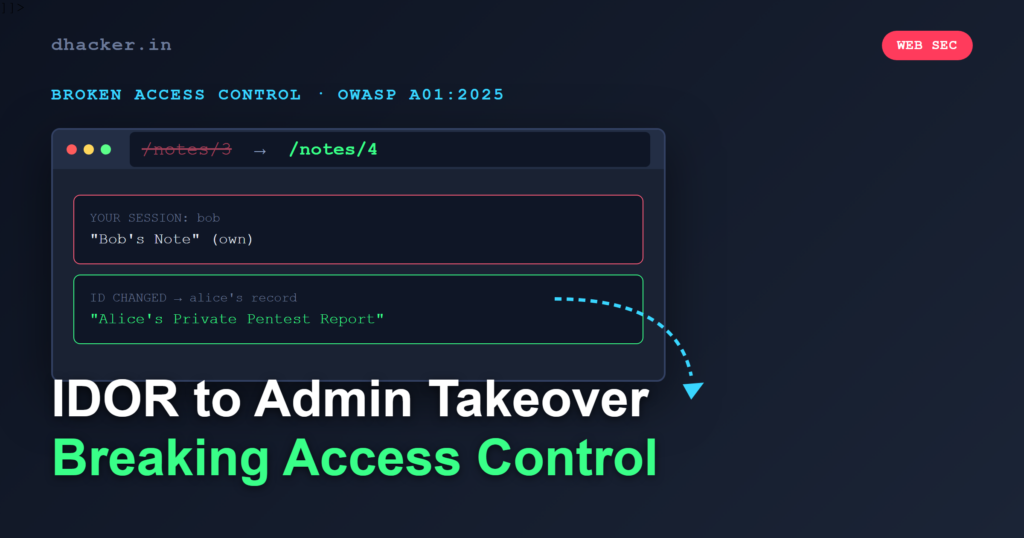
You log in to a notes app as a regular user, change one number in the URL, and suddenly you are reading another user’s confidential pentest report. Browse to /admin and the entire user table — passwords included — is on your screen. That is Broken Access Control in action, and according to OWASP it is the number-one risk in web applications. This article walks you through exploiting IDOR and forced browsing in a Flask lab, then fixing both with ownership checks and a role decorator.
What changed in OWASP A01:2025
Broken Access Control held the top spot in 2021 and keeps it in the 2025 revision. The category now maps 40 CWEs (up from 34), absorbing weaknesses that were previously split across other categories — most notably CWE-918 Server-Side Request Forgery (SSRF), which had its own Top Ten entry in 2021. The rationale is straightforward: SSRF is fundamentally an access-control failure where an attacker tricks the server into making requests it should not be authorized to make.
The numbers from the OWASP dataset reinforce why A01 sits at the top:
| Metric | Value |
|---|---|
| CWEs mapped | 40 |
| Applications with at least one occurrence | 100% |
| Max incidence rate | 20.15% |
| Average incidence rate | 3.74% |
| Total occurrences | 1,839,701 |
| CVEs mapped | 32,654 |
| Average weighted exploit score | 7.04 |
Every tested application exhibited some form of broken access control. An exploit score of 7.04 means these bugs are reliably exploitable without exotic tooling.
The vulnerable app: SecureNotes
The lab is a minimal Flask notes application with three seeded users: alice (regular), bob (regular), and admin. Each user has private notes. The app has two critical access-control flaws:
- IDOR on
/notes/<id>— the route fetches any note by its primary key without checking ownership. - Forced browsing to
/admin— the admin panel has no authentication or role check at all.
Here is the vulnerable note-detail route:
@app.route("/notes/<int:note_id>")
def note_detail(note_id):
    if not session.get("user_id"):
        return redirect(url_for("login"))
    conn = get_db()
    note = conn.execute(
        "SELECT notes.*, users.username FROM notes "
        "JOIN users ON notes.user_id=users.id WHERE notes.id=?",
        (note_id,),
    ).fetchone()
    conn.close()
    if not note:
        flash("Note not found")
        return redirect(url_for("notes_list"))
    # BUG: no ownership check — any logged-in user can view any note
    return render_template_string(detail_page, title=note["title"])
And the unprotected admin route:
@app.route("/admin")
def admin_panel():
    # BUG: no authentication or role check
    conn = get_db()
    users = conn.execute("SELECT * FROM users").fetchall()
    notes = conn.execute("SELECT notes.*, users.username FROM notes ...").fetchall()
    conn.close()
    return render_template_string(admin_page, title="Admin Panel")
Exploiting the IDOR
Log in as alice (alice / alice123). The dashboard shows her two notes: Project Kickoff (note #1) and API Keys — DO NOT SHARE (note #2).
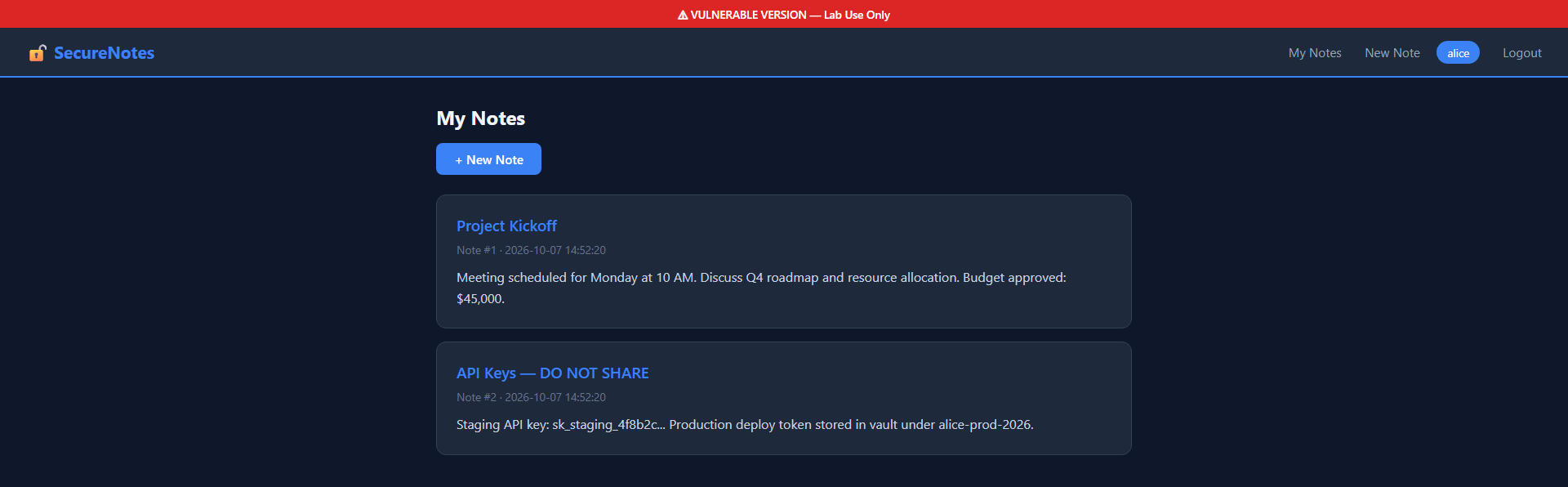
Now change the URL from /notes/1 to /notes/3. The app happily returns bob’s confidential Pentest Findings note — the one containing details about SQL injection and XSS vulnerabilities found during an engagement.

Notice the metadata: Author: bob. Alice should never see this. A real attacker would script a loop from /notes/1 through /notes/9999 and harvest every note in the database.
Exploiting forced browsing to /admin
Without even being logged in, browse to http://127.0.0.1:5000/admin. The admin panel renders with full access: every user’s ID, username, role, and plaintext password, plus every note in the system.
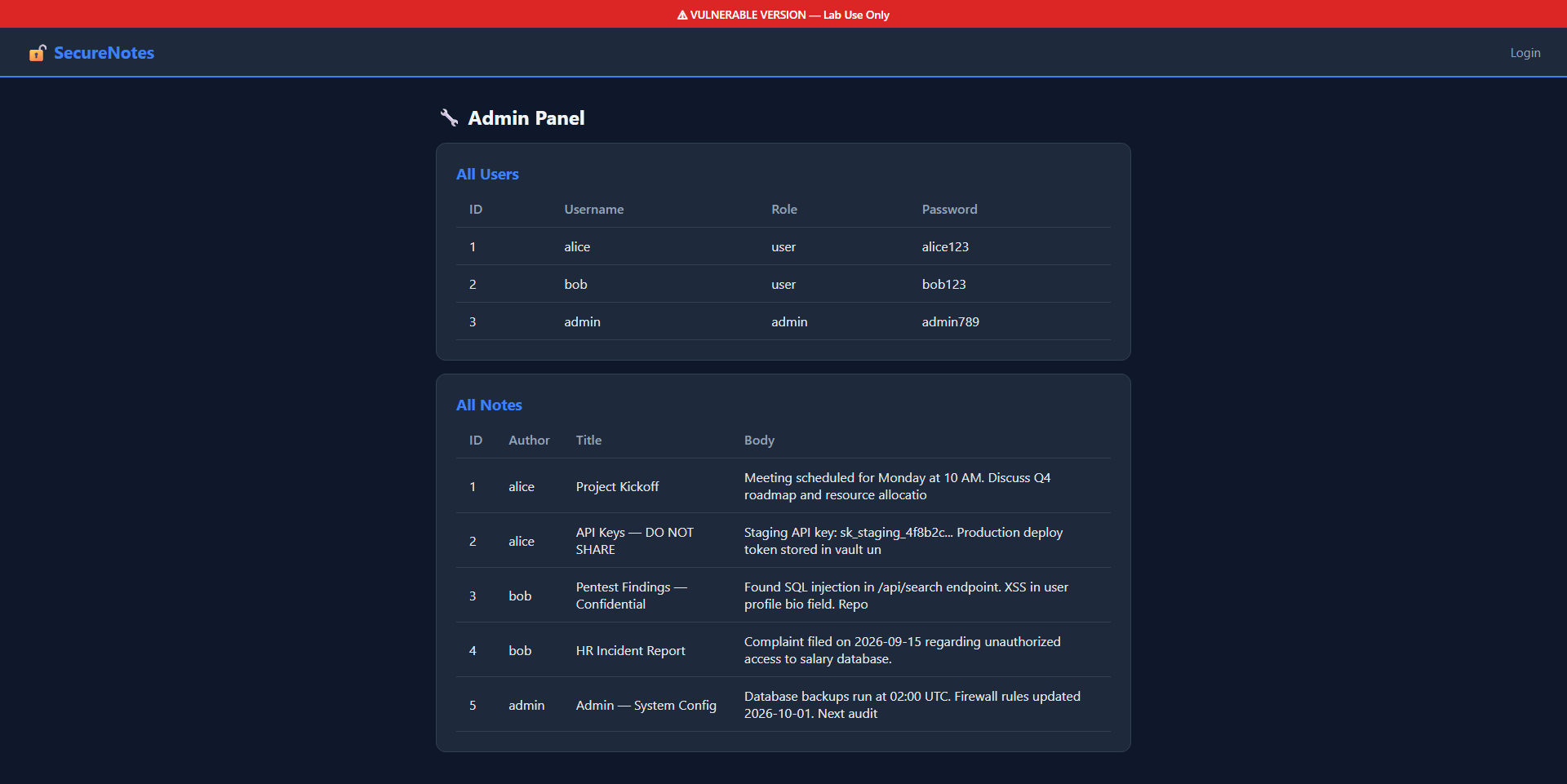
This is CWE-425 (Direct Request / Forced Browsing). The route exists, the URL is guessable, and nothing enforces authorization.
Fixing the vulnerabilities
Ownership check on notes
The fix adds a single comparison after fetching the note. If the requesting user does not own it, the request is denied with a 403 and the attempt is logged:
@app.route("/notes/<int:note_id>")
@login_required
def note_detail(note_id):
    conn = get_db()
    note = conn.execute(
        "SELECT notes.*, users.username FROM notes "
        "JOIN users ON notes.user_id=users.id WHERE notes.id=?",
        (note_id,),
    ).fetchone()
    conn.close()
    if not note:
        flash("Note not found")
        return redirect(url_for("notes_list"))

    if note["user_id"] != session["user_id"]:
        sec_logger.warning(
            "IDOR ATTEMPT: user=%s tried to access note #%d owned by user_id=%d from %s",
            session.get("username"), note_id, note["user_id"], request.remote_addr,
        )
        return render_template_string(denied_page, title="Access Denied"), 403

    return render_template_string(detail_page, title=note["title"])
Role-required decorator on /admin
A reusable decorator checks the user’s role before allowing access to the admin panel. Any mismatch triggers a 403 and a security log entry:
def role_required(role):
    def decorator(f):
        @wraps(f)
        def decorated(*args, **kwargs):
            if not session.get("user_id"):
                return redirect(url_for("login"))
            if session.get("role") != role:
                sec_logger.warning(
                    "ROLE VIOLATION: user=%s (role=%s) tried to access %s (requires %s) from %s",
                    session.get("username"), session.get("role"),
                    request.path, role, request.remote_addr,
                )
                return render_template_string(denied_page, title="Access Denied"), 403
            return f(*args, **kwargs)
        return decorated
    return decorator

@app.route("/admin")
@role_required("admin")
def admin_panel():
    # Only reachable by users with role == "admin"
    ...
After applying the fix, alice’s attempt to access note #3 is blocked:
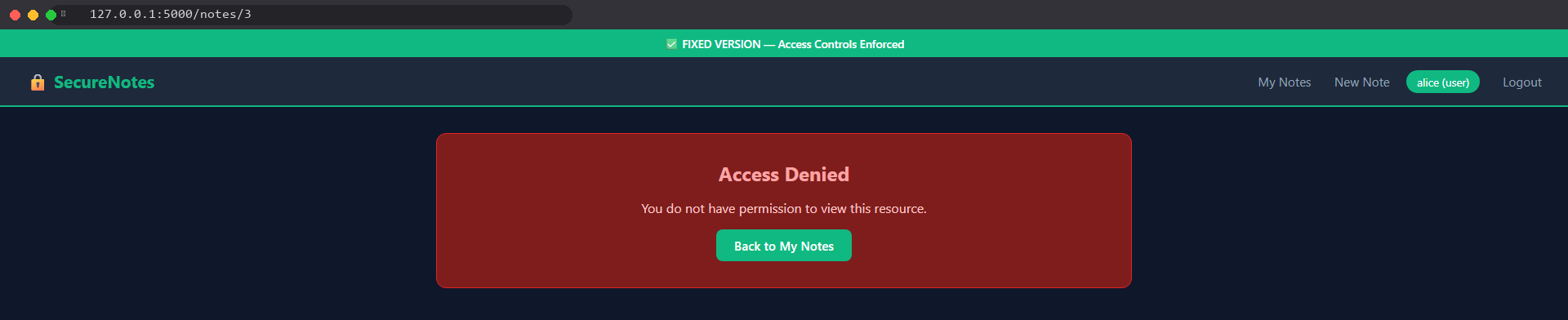
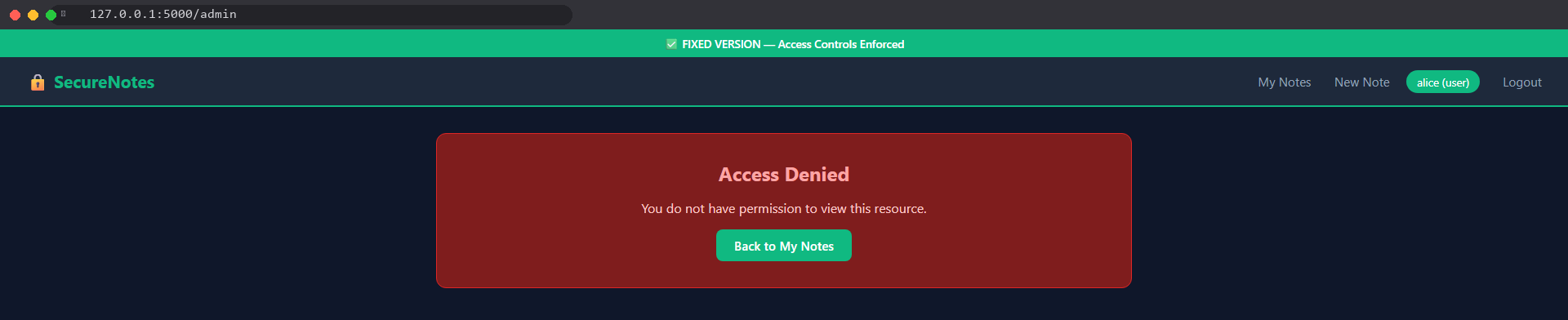
And her attempt to reach /admin is blocked the same way:
Detection and logging
Blocking unauthorized access is necessary but not sufficient. You also need to know when someone is probing your application. The fixed version logs every denied request with structured fields:
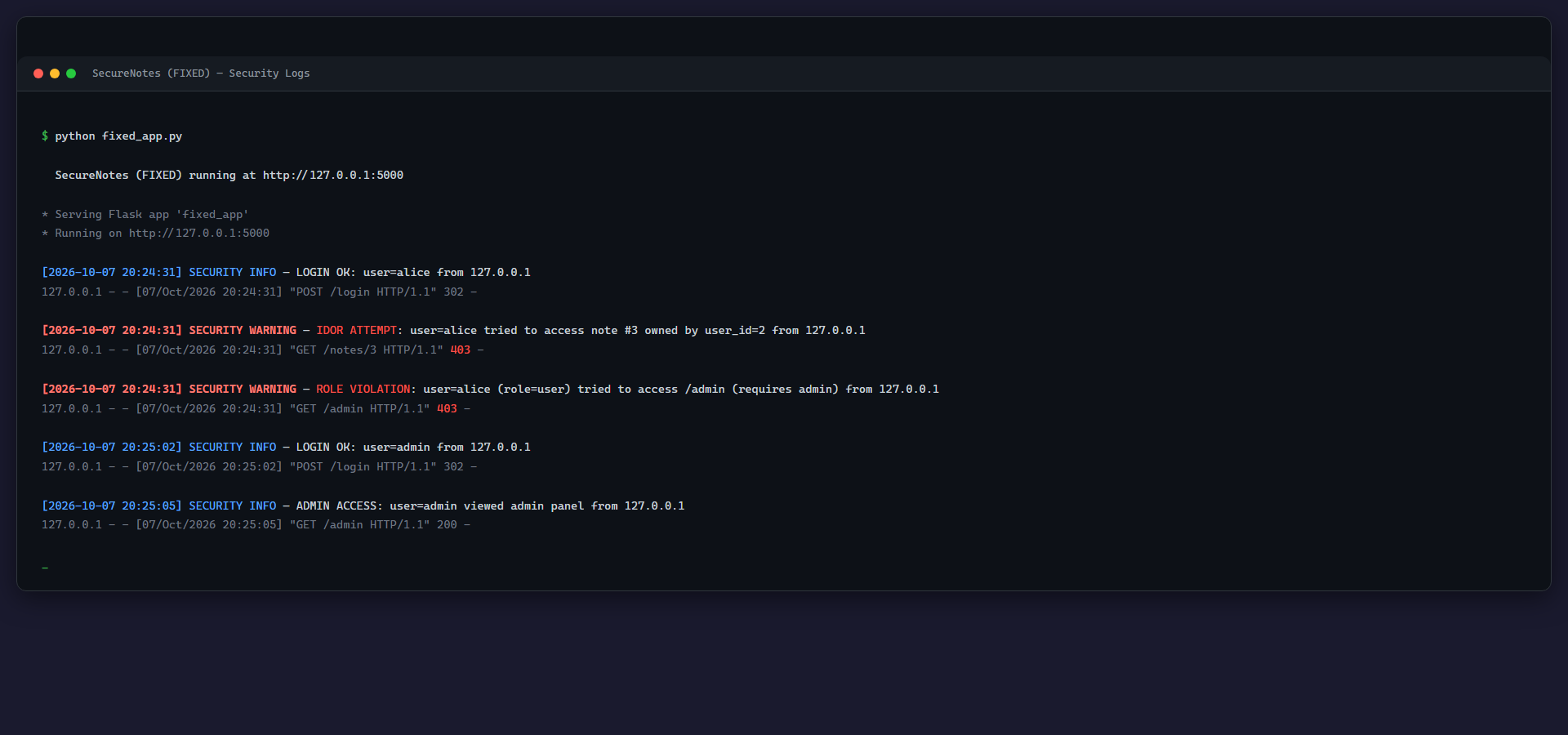
Key logging patterns to implement:
- Log every access-denied event with the requesting user, target resource, and source IP.
- Alert on sequential ID probing — if a user requests
/notes/1,/notes/2,/notes/3in rapid succession for resources they do not own, that is enumeration. A rate limiter or anomaly detector on your WAF can catch this pattern. - Log successful admin access too — knowing who used elevated privileges and when is critical for audit trails.
In production, send these logs to a SIEM (Splunk, Elastic, etc.) and create alerts for patterns like more than five access-denied events from one user within a minute.
SSRF: why it belongs in A01
OWASP moved SSRF (CWE-918) into Broken Access Control because the root cause is the same: the application performs an action it should not be authorized to perform. In SSRF, the server itself becomes the attacker’s proxy.
Consider a Flask endpoint that fetches a URL provided by the user:
import requests

@app.route("/fetch")
def fetch_url():
    url = request.args.get("url")
    # No validation — the server will fetch anything
    resp = requests.get(url)
    return resp.text
An attacker calls /fetch?url=http://169.254.169.254/latest/meta-data/iam/security-credentials/ and the server dutifully returns its own cloud IAM credentials. The fix is the same principle as the IDOR fix — validate and restrict what the application is authorized to access:
from urllib.parse import urlparse

ALLOWED_HOSTS = {"api.example.com", "cdn.example.com"}

@app.route("/fetch")
@login_required
def fetch_url():
    url = request.args.get("url", "")
    parsed = urlparse(url)
    if parsed.hostname not in ALLOWED_HOSTS:
        sec_logger.warning("SSRF ATTEMPT: user=%s tried to fetch %s", session.get("username"), url)
        abort(403)
    if parsed.scheme not in ("http", "https"):
        abort(400)
    resp = requests.get(url, timeout=5)
    return resp.text
Allowlist the hosts the server may contact, block internal IP ranges, and log every blocked request.
Key takeaways
- Broken Access Control (A01:2025) is the most prevalent web vulnerability — 100% of tested applications had at least one instance, with 1,839,701 total occurrences.
- IDOR is exploitable by changing a single URL parameter. Always verify that the requesting user owns the resource before returning it.
- Forced browsing to admin routes is trivial. Use role-based decorators that deny by default, not UI-level hiding.
- SSRF now falls under A01 because it is fundamentally an access-control failure. Validate outbound request destinations with allowlists.
- Log every access-denied event. Detection without logging is invisible; logging without alerting is ignored.
- Test access controls explicitly — automated scanners miss business-logic authorization bugs. Write integration tests that attempt cross-user access and verify 403 responses.
Lab: download and run it
What is inside:
idor-to-admin-takeover/
├── vulnerable_app.py   # Vulnerable version (IDOR + unprotected /admin)
├── fixed_app.py        # Fixed version (ownership checks + role decorator + logging)
├── run.sh              # Linux / macOS launcher
├── run.bat             # Windows launcher
├── requirements.txt    # Python dependencies (flask>=3.0)
└── README.md
Run it:
# 1. Install dependencies
pip install -r requirements.txt

# 2. Start the vulnerable version
./run.sh vuln        # Linux/macOS
run.bat vuln         # Windows

# 3. Open http://127.0.0.1:5000 — log in as alice (alice / alice123)
# 4. Change the URL to /notes/3 — you can read bob's confidential note (IDOR)
# 5. Browse to /admin — full admin panel with no auth check (forced browsing)

# 6. Stop with Ctrl+C, then start the fixed version
./run.sh fixed       # Linux/macOS
run.bat fixed        # Windows

# 7. Try /notes/3 again as alice — Access Denied (403)
# 8. Try /admin as alice — Access Denied (403)
# 9. Check the terminal — IDOR and role-violation attempts are logged
Clean up: press Ctrl+C to stop the server. Delete the SQLite databases for a fresh start:
rm -f notes_vuln.db notes_fixed.dbThe lab listens on 127.0.0.1 only. No real credentials or third-party targets are used.
References
- OWASP Top 10 — A01:2025 Broken Access Control
- CWE-639: Authorization Bypass Through User-Controlled Key (IDOR)
- CWE-425: Direct Request (Forced Browsing)
- CWE-918: Server-Side Request Forgery (SSRF)